Braun Health BLE
Home Assistant integration, 100% local

Every Braun reading, filed for the right person.

Thermometers and blood pressure monitors sync over Bluetooth the second you measure. No cloud, no account, no app in the middle.

< 1 sfrom measure to Home Assistant
0cloud calls
2device families
ThermoScan 7+ device page in Home Assistant with last measurement, age profile, battery and pending measurement
Home Assistant notification listing Braun measurements to attribute
How it works

Take a reading. It is already there.

Home Assistant connects as soon as the device wakes up and stays with it while it is on, through any Bluetooth adapter or ESPHome Bluetooth proxy.

Measure as usual

Use the thermometer or the monitor exactly as before. Nothing to press, no phone to unlock.

Synced live

Each reading arrives within a second, with its real time. Readings taken out of range come in at the next power-on.

History that makes sense

Per-person sensors and long-term statistics, dated when the reading was taken, not when it was filed.

People

Who was it for?

A thermometer cannot tell who was measured, so its readings wait to be attributed. A blood pressure monitor knows its user buttons and routes readings by itself.

  • On your phoneOne notification per reading, with a button per person.
  • In Home AssistantWaiting readings are listed in notifications and filed from the device page, even the next day.
  • AutomaticallyButtons A and B of a monitor go straight to their person; a shared button asks every time.
A person's device page with their temperature and an activity log of attributed readings
Each person is a device of their own, with every attribution in its activity log.
Blood pressure

Systolic, diastolic, pulse. And the alerts.

The ExactFit 5 Connect hands over each reading the moment the cuff deflates, with the user button that was pressed.
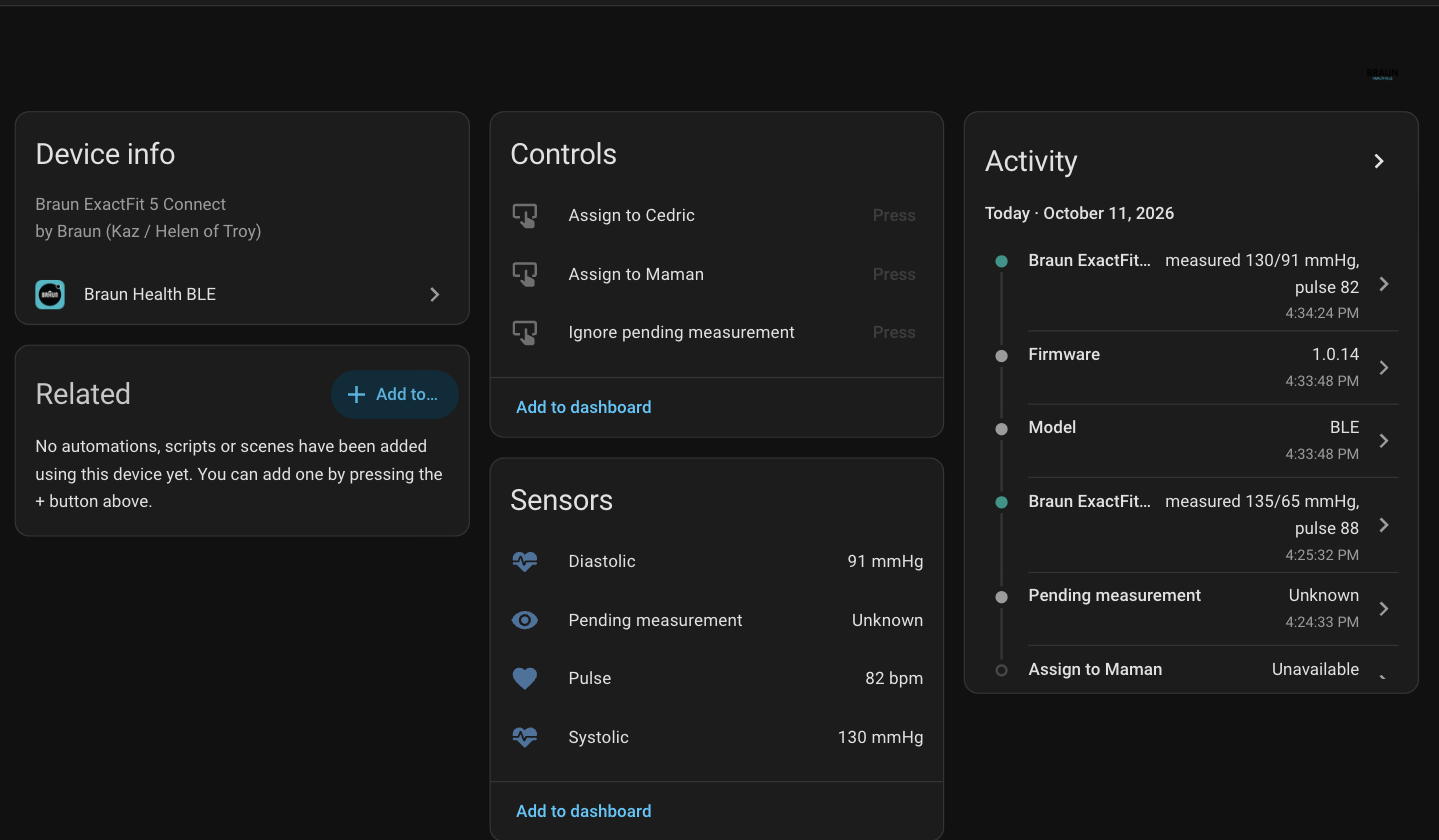
  • Three sensors per personwith statistics at the real measurement time.
  • Measurement alertsbody movement, cuff too loose or irregular pulse, flagged on the reading in the activity log and the notification. Failed measurements are not sent by the monitor.
  • No pairingthe monitor is set up in one step, its users A and B mapped to people.
ExactFit 5 Connect device page in Home Assistant with systolic, diastolic and pulse sensors and its activity log
An ExactFit 5 Connect: last reading, buttons to attribute a shared button's reading, and its activity.
Setup

Ready in under a minute.

Devices are discovered on their own. Thermometers pair with the six-digit PIN they display; blood pressure monitors need no pairing at all. People are declared in the same flow.
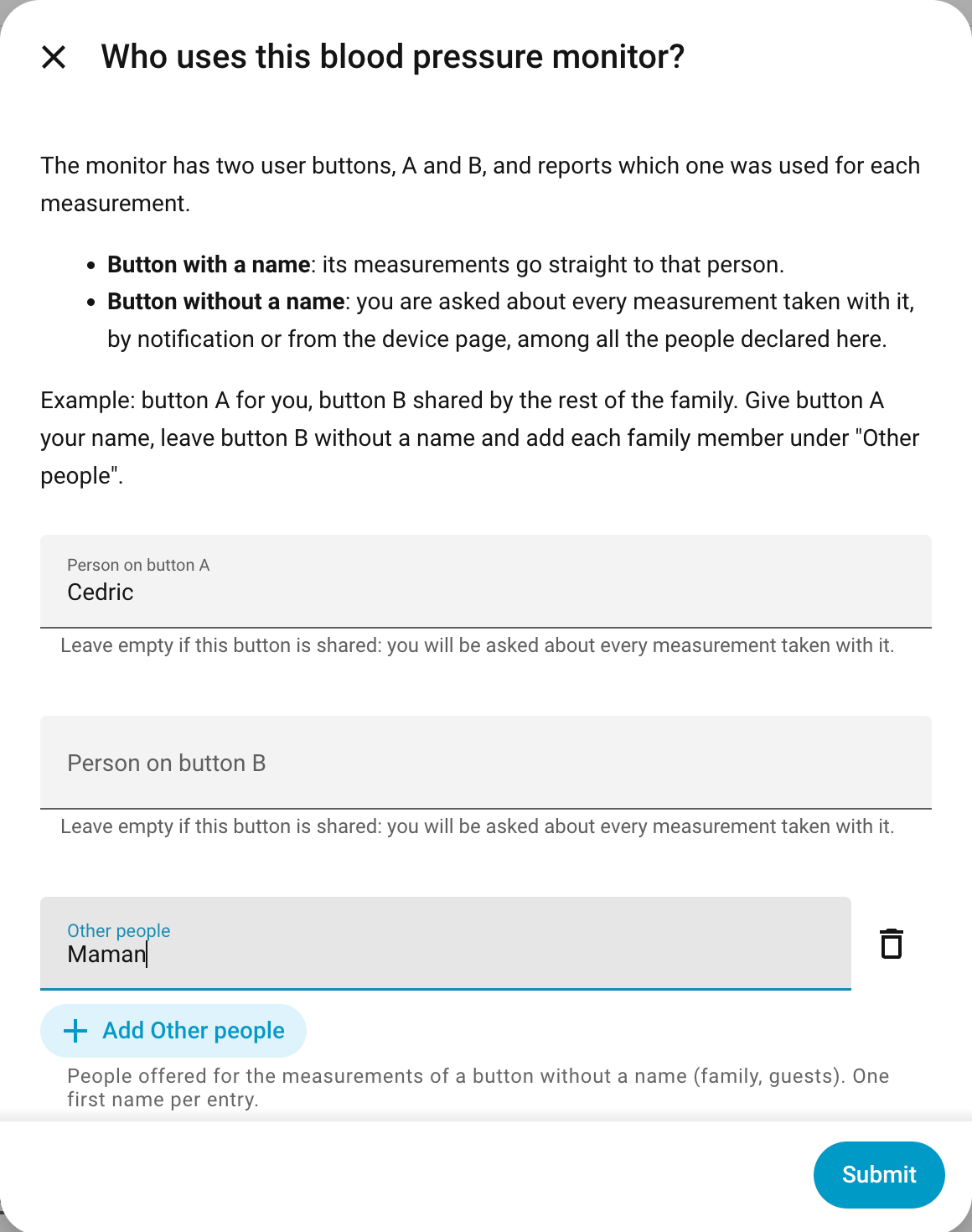
  • A named buttonsends its readings straight to that person.
  • A button without a nameasks among everyone declared: a shared monitor, a guest.
  • Phones listed by nameare only notified for readings that wait to be attributed.
Setup dialog explaining user buttons A and B
Devices

Supported devices

Each model has its own support ledger, with captured bytes and evidence levels. Support is only claimed after a test on the real device.

Have another Braun Bluetooth device? The contributing guide shows how a model is added without touching the core.

Install

Three steps.

  1. In HACS, add cedhuf/ha-braun-ble as a custom repository, category Integration, or use the button below.
  2. Download Braun Health BLE and restart Home Assistant.
  3. Switch your device on near a Bluetooth adapter or proxy and accept the discovery.

Requires Home Assistant 2026.9 or later.

Principles

Local and careful.

  • No cloudEverything stays on the Bluetooth link between your devices and Home Assistant.
  • No firmware writesUpdate services are never touched, as set out in the scope policy.
  • Open protocol notesWhat is known about each device is written down, including what is not.

Bring your Braun devices home.